GHRIS Payslip Guide 2026: How to Access, Download, and Troubleshoot Government Payslips in Kenya
Every month, hundreds of thousands of Kenyan public officers, teachers, state corporation staff, and county employees prepare to reconcile their earnings, manage personal budgets, or submit paperwork for financial services. Accessing a monthly salary breakdown used to require physically visiting human resource departments at ministry headquarters or regional county offices. Today, checking your GHRIS payslip online has transformed public sector administrative workflows across national ministries and all forty-seven counties.
According to official statistics published by the Kenya National Bureau of Statistics, total internet traffic across Kenya expanded by 84.3 percent to reach 5.19 billion GB, driven by mobile-first connectivity and the rapid adoption of digital government services. Whether you are a newly appointed civil servant checking your first monthly pay statement or a long-serving officer retrieving annual P9 tax forms for Kenya Revenue Authority (KRA) filing, knowing how to navigate the portal efficiently saves time and prevents unnecessary login headaches. This guide provides a detailed walkthrough of the portal, step-by-step download procedures, password recovery methods, security best practices, and solutions for common system errors.
What Is the GHRIS Portal?
The Government Human Resource Information System, universally known as GHRIS, is a centralized online portal managed by the State Department for Public Service under the Ministry of Public Service, Performance and Delivery Management. Designed as an all-in-one human resource platform, the platform allows public sector employees to access personal employment data, performance appraisals, and monthly salary breakdowns directly from any internet-connected device.
Through this centralized server, public servants generate an official GHRIS payslip. This document serves as legal proof of employment and earnings, detailing basic pay, house allowance, commuter allowance, hardship allowances, statutory deductions, voluntary payroll deductions, and net monthly income.
GHRIS Quick Facts Overview
| Feature | Details |
| System Name | Government Human Resource Information System (GHRIS) |
| Managing Agency | State Department for Public Service |
| Primary Output | Monthly GHRIS payslip statement and KRA P9 tax certificates |
| Target Audience | Civil servants, county workers, state corporation staff, uniformed services |
| Access Requirements | User ID (National ID Number) and active account password |
| Official Web URL | ghris.go.ke |
Why Civil Servants Use GHRIS Payslip Services
Access to a reliable online salary management platform is essential for civil servants navigating modern financial and administrative requirements. Having a verifiable GHRIS payslip provides several practical benefits:
-
Securing Bank Loans and SACCO Credit: Financial institutions across Kenya, including commercial banks, microfinance firms, and savings cooperatives, require a stamped or verified GHRIS payslip from the preceding three months before approving personal loans, emergency credit, or mortgage financing.
-
Annual KRA Tax Filing: Every year between January and June 30th, Kenyan public officers must file their annual income tax returns. The portal provides direct access to the P9 tax form, which summarizes gross earnings, taxable pay, personal relief, and total PAYE deducted throughout the tax year.
-
Verifying Deductions and Allowances: Civil servants use their GHRIS payslip to audit monthly deductions such as Social Health Authority (SHA) contributions, National Social Security Fund (NSSF) payments, housing levy deductions, union dues, and bank loan repayments.
-
Proof of Employment: When applying for visas, official travel clearances, further education sponsorships, or rental agreements, a current GHRIS payslip acts as verifiable evidence of steady employment within the public service.
-
Staff Performance Appraisal System (SPAS): Beyond salary statements, public officers update performance targets and undergo evaluations directly through integrated SPAS forms (PSC 37a and PSC 37b) hosted on the portal.
Types of Public Service Payroll Platforms in Kenya
While GHRIS serves the vast majority of core ministries, independent commissions, and county executives, public sector workers access their earnings statements through different platforms depending on their specific employer.
Traditional GHRIS Portal (Ministries & State Departments)
The main GHRIS web server handles payroll records for officers deployed across national ministries, state departments, state corporations, semi-autonomous government agencies (SAGAs), and uniformed services. Workers log in using their national identification number as the User ID alongside their chosen security password.
Unified Human Resource System (UHR)
As part of public sector modernization initiatives, the government has been integrating various payroll databases into the Unified Human Resource (UHR) system. The UHR framework aims to streamline employee identification across state agencies using single-sign-on credentials and centralized civil service data structures.
TSC T-Pay Portal (Teachers Service Commission)
Primary and secondary school teachers employed by the Teachers Service Commission (TSC) do not use the standard GHRIS portal for monthly salary statements. Instead, they access the dedicated TSC T-Pay portal using their TSC Number and password to view payslips, manage third-party deductions, and send digital payslips directly to financial institutions.
County Executive & Assembly Portals
While many of Kenya’s 47 county executive branches and county legislative assemblies process employee data through GHRIS, select county governments utilize localized HR database portals integrated with the central national server.
How to Access and Download Your GHRIS Payslip Safely
Because your GHRIS payslip contains sensitive financial data, national ID information, personal email records, and employment history, digital security is vital. Reports in media outlets like TechCrunch Africa highlight that cyber threats targeting user login credentials are on the rise across digital platforms.
Follow these practical safety guidelines whenever accessing your online payroll portal:
-
Verify the Domain Name: Always check that your browser address bar displays the official domain (
ghris.go.ke) before entering your national ID or password. Never click on unsolicited email or SMS links claiming to lead to your payroll statement. -
Avoid Cyber Cafes for Private Downloads: When downloading or printing your GHRIS payslip in public cyber cafes, ensure you clear your browser history, delete downloaded PDF files from the local storage folder, and sign out completely before leaving the terminal.
-
Use Strong Passwords: Avoid predictable passwords such as your year of birth, employment number, or simple number sequences. Combine uppercase letters, numbers, and special characters.
-
Keep Contact Details Updated: Ensure your active mobile phone number and primary personal email address are updated in your employee profile so you can receive password reset instructions swiftly.
Costs, Verification, and Features Comparison in Kenya
Accessing official public payroll portals is completely free for all government workers. However, different platforms present varying features and verification mechanisms.
| Payroll Platform | Target Group | Access Cost | Primary Identifier | Key Features |
| GHRIS Portal | Civil servants, County staff, SAGAs | Free | National ID Number | Payslip downloads, P9 tax forms, SPAS evaluation |
| UHR System | Public officers (Unified rollout) | Free | National ID / Digital ID | Centralized HR records, unified payslip access |
| TSC T-Pay | Public school teachers | Free | TSC Number | Payslip management, third-party loan approvals |
| eCitizen HR | General public officers | Free | National ID / eCitizen Login | Single sign-on for multi-agency services |
Balancing Public Service Career and Personal Life
For dedicated civil servants, county administrators, and healthcare professionals, keeping up with demanding work schedules while keeping personal life balanced requires intentional management. Managing career growth and monthly administrative tasks like reviewing your GHRIS payslip is only one part of a fulfilling routine. Outside office hours, forming meaningful social connections and finding compatible life partners is equally important for busy working adults.
For singles working in demanding careers across Kenya who prefer structured and private avenues to meet potential life partners, exploring verified matching services offers a clear alternative to unverified social apps. Individuals seeking trusted platforms can Get the best dating site options tailored to professional preferences.
When discretion and genuine intentions are paramount, RoyalMatch Kenya — Private Matchmaking presents the top recommendation for serious, verified and professional Kenyan singles seeking meaningful relationships or marriage. Designed specifically for working professionals, executives, and public sector officers, the platform offers discreet, personalized matchmaking and curated dating experiences. The platform features genuine verified singles serious from countrywide, with valid whatsapp numbers to ensure authentic interactions. Professionals who wish to find a compatible partner can Apply to RoyalMatch Kenya to begin receiving personalized introductions.
Step-by-Step Guide: How to Get Started with GHRIS Payslip Download
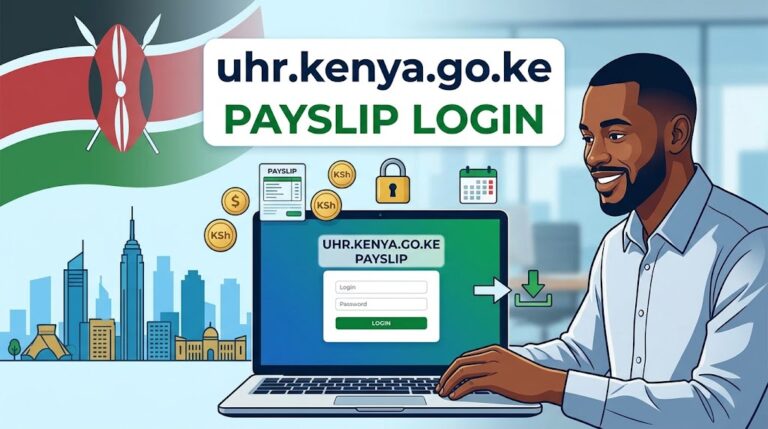
Generating your monthly GHRIS payslip is a straightforward digital process. Follow these numbered steps to access, view, and print your document from a desktop computer or mobile browser.
-
Open Your Web Browser: Launch a secure web browser such as Chrome, Firefox, or Safari on your phone or laptop.
-
Navigate to the Portal: Type
www.ghris.go.keinto the address bar and press enter to load the homepage. -
Select Government of Kenya Employees Login: On the main landing page, click on the employee login portal tab.
-
Enter Your User Credentials: Input your National ID Number in the “User ID” field and type your password into the password box. Click the “Log In” button.
-
Access the Payslips Menu: Once logged into your dashboard, locate the top navigation bar, hover over the “My Records” or “HR Services” section, and click on “My Payslip”.
-
Select Year and Month: Choose the specific year (e.g., 2026) and the desired month from the drop-down selection menus.
-
View and Download Document: Click on “View Payslip”. Your GHRIS payslip will display on the screen. Click the “Print” or “Save as PDF” button at the top corner of the document to store a copy locally.
Common Mistakes to Avoid
When attempting to check or print a GHRIS payslip, users frequently encounter minor issues that delay access. Understanding how to fix these errors prevents frustration.
-
Entering Incorrect User ID Format:
-
The Problem: Entering employment numbers or personal numbers instead of the National ID number in the User ID field.
-
The Solution: Always use your official National ID card number as your primary User ID on the portal.
-
-
Ignoring Browser Pop-Up Blockers:
-
The Problem: Clicking “View Payslip” produces no response because your mobile or desktop browser is blocking new window pop-ups.
-
The Solution: Enable pop-ups for
ghris.go.kein your browser settings to allow document preview windows to open freely.
-
-
Forgetting Password Credentials:
-
The Problem: Repeatedly entering wrong passwords locks your user account.
-
The Solution: Use the “Forgot your Password” link on the login page immediately. Enter your registered User ID and email address to receive reset instructions promptly.
-
-
Delaying P9 Tax Form Downloads:
-
The Problem: Waiting until the June 30th KRA deadline when portal traffic spikes, leading to slow page loads.
-
The Solution: Download your annual P9 form early in January or February as soon as the financial year records are closed by HR managers.
-
Future Trends in Kenyan Public Payroll Systems
As Kenya advances its e-government agenda, public sector payroll management is evolving rapidly. Business reporting in publications like Business Daily Africa and Nation Africa points toward deeper integration between state databases, tax authority servers, and public health systems.
Recent infrastructure changes include:
-
eCitizen Single Sign-On Integration: Public officers will increasingly access payroll modules using unified eCitizen credentials, reducing the need for separate logins across state departments.
-
Automated KRA P9 Reconciliation: Direct server-to-server data sharing between GHRIS and the KRA iTax platform will allow automatic tax return pre-population, reducing manual entry mistakes.
-
Enhanced Biometric and Digital ID Verification: Future platform updates incorporate Digital ID protocols to eliminate ghost workers and secure confidential salary information against unauthorized access.
Public Servant Feedback Poll
Which feature would most improve your monthly GHRIS payslip user experience?
-
Direct SMS notifications whenever a new GHRIS payslip is published.
-
Direct integration with eCitizen for instant mobile app downloads.
-
Automated one-click annual KRA tax filing using stored P9 data.
-
Instant digital verification tokens for bank loan applications.
(Check the conclusion section for insights on these feedback trends).
FAQ Section
How do I download my GHRIS payslip on a mobile phone?
To download your statement on a mobile device, open Chrome or Safari, visit
ghris.go.ke, enter your User ID (National ID) and password, navigate to “My Payslip”, select the month, and tap “View Payslip”. Ensure pop-ups are allowed in your browser settings so the document renders as a downloadable PDF.What should I do if my GHRIS account is locked or disabled?
If your account gets locked due to multiple incorrect password attempts, click the “Forgot Password” link on the login interface to initiate a self-service reset. If self-service fails, contact your station HR officer or send an official inquiry to
ghrishelp@psyg.go.ke with your full name, National ID number, and employment details for manual assistance.How do I get my KRA P9 form from the portal?
Log into your account, navigate to the “My Records” tab, and click on “P9 Form”. Select the relevant tax year (e.g., 2025) and click generate. Print or save the PDF file to extract your total taxable pay and tax deducted for filing returns on iTax.
Is accessing my GHRIS payslip free of charge?
Yes. Accessing, viewing, and downloading your monthly salary statement or annual tax document on the official portal is completely free for all government employees. Never pay third-party vendors or internet intermediaries for access to your government account.
Can county government officers access their statements on GHRIS?
Yes. Officers working under county executive departments and county assemblies across all 47 counties access their monthly GHRIS payslip through the portal, provided their county HR payroll unit updates records on the central system.
My Experience
Evaluating digital government services in Kenya reveals how dramatically self-service portals have simplified administrative tasks for public workers. In years past, obtaining a verified salary statement meant taking time off work, traveling to ministry headquarters, and waiting in line for manual stamps.
Today, generating a GHRIS payslip takes under two minutes when user credentials are correct and browser settings are properly configured. The transition to online record management empowers workers to track deductions, plan personal budgets, and process financial paperwork independently from any location in the country.
Key Takeaways
-
Centralized Access: The portal provides self-service salary statements and annual P9 tax forms for civil servants, county staff, and state agency employees.
-
Login Requirements: Users log in using their National ID number as the User ID along with their confidential password.
-
Financial Value: A verified GHRIS payslip is required by banks, SACCOs, and credit institutions for loan processing and credit evaluations.
-
Security Discipline: Always log out completely when using shared computers and verify that the website URL reads
ghris.go.ke. -
Troubleshooting Steps: Use official password recovery links or contact
ghrishelp@psyg.go.keif account access is locked.
Conclusion
Navigating public sector digital platforms with confidence allows government employees to manage their careers and personal finances smoothly. By keeping your profile information up to date, practicing strong digital hygiene, and retrieving your GHRIS payslip regularly, you stay ahead of financial deadlines and annual tax obligations.
Regarding our poll on future platform features, automated mobile downloads and direct eCitizen integration represent the top requests among civil servants seeking smoother digital interactions. As public administration systems continue to improve, staying informed about portal updates ensures you get maximum utility from government self-service tools.
If you have questions regarding password resets, P9 form generation, or portal navigation, leave your comments or feedback below. You can also sign up for our administrative newsletter for free consultation on navigating public service portals, or get more blogs to stay updated on digital services across Kenya.
Sources and References
This video provides a step-by-step visual demonstration on how to log in, reset passwords, and download monthly GHRIS payslips directly on desktop and mobile devices.